
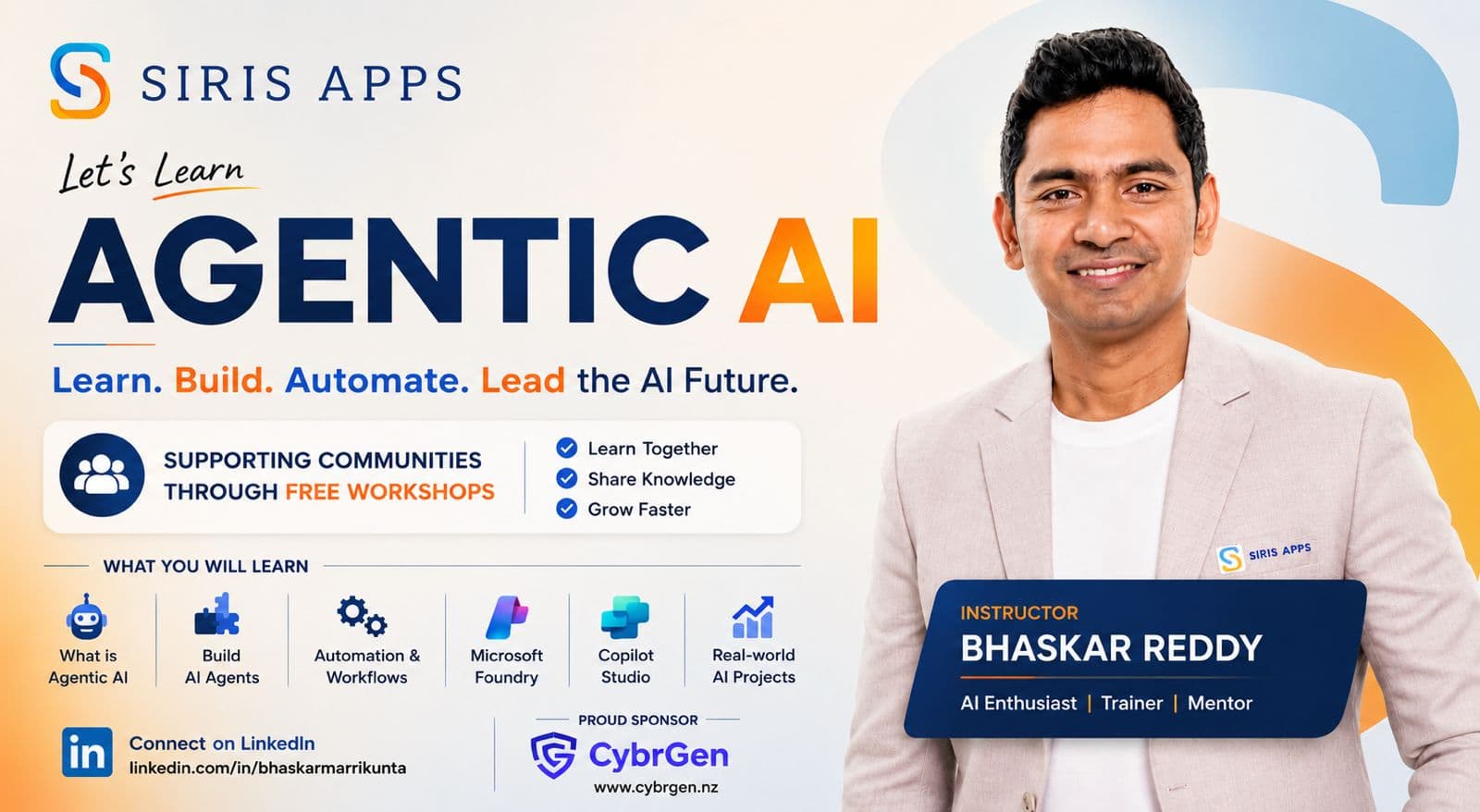
Let's Learn Agentic AI
Learn. Build. Automate. Lead the AI Future.
An 8-week hands-on workshop on building production-grade agentic AI systems — from prompts and tool-calling to multi-agent orchestration, evaluation and deployment.
Sessions are not recorded
Every session is delivered live and is not recorded, so active participation matters. Please take your own notes each week, complete that week's task, and email it to media@sirisapps.com before the next session. Consistent, active participation is how you get the most out of the 8 weeks and qualify for recognition. See the full curriculum.
Weekly audience spin
Each week we will spin from the joined audience. The winner gets 10 minutes to present an idea, use case or lesson learned to the group. Bring your best thinking and stay actively involved — strong ideas and useful use cases will be rewarded.
- Instructor
- Bhaskar Reddy Marrikunta
- Starts
- Saturday, 22 August 2026
- Time
- 3:00 PM – 6:00 PM NZDT
- Duration
- 8 weeks
What you will learn
From Concepts to Real-world Impact — every session is hands-on.
What is Agentic AI
The concepts behind autonomous agents — planning, memory, reasoning and where they genuinely beat plain prompting.
Build AI Agents
Design and ship your own agents with tool calling, structured outputs and safe execution loops.
Automation & Workflows
Turn manual, repetitive processes into reliable automated workflows your team can trust.
Microsoft Foundry
Build, evaluate and deploy agents on Microsoft Foundry, including models, prompts and evaluations.
Copilot Studio
Create low-code copilots, connect them to your data, and publish them to real channels.
Real-world AI Projects
Apply everything to a capstone project you can demo, ship and put on your portfolio.
Your instructor
Bhaskar Reddy Marrikunta
“Automate smarter. Build with AI.”
What you need
Free or trial-based tools. Set them up before week 1 so you can build from the first session.
Microsoft Copilot Studio tools
Low-code agent building and Microsoft 365 licensing references. A Copilot Studio trial may be enough for workshop practice.
Copilot Studio builder access (with trial or paid tenant). Use this for weekly agent labs and publishing exercises.
Approx. USD $200/month per tenant (Copilot Studio) after trialCheck the required base Microsoft 365 plans before adding Microsoft 365 Copilot licences to users.
Approx. USD $30/user/month add-on (plus base Microsoft 365 plan)Reference page for base Microsoft 365 business/enterprise plan costs used as prerequisites for Copilot licences.
Approx. USD $7.20-$57/user/month depending on planMicrosoft Foundry tools
Azure-based model deployments, evaluations and cost management. Foundry is usage-based, so set budgets and monitor deployments.
Gives you the credit needed for Microsoft Foundry, model deployments and hosting. Sign-up needs a card for identity verification but is not charged on the free tier.
Free credit for 30 daysCreate a Foundry project in Azure for model deployments, evals and traces. Purchase through Azure subscription billing.
Approx. USD $10-$200/month for workshop-scale pay-as-you-go usageUse Azure subscription + pricing calculator to estimate and purchase exactly what your team needs.
Estimate with region/model usage (typically pay-as-you-go)Deploy a suitable chat model in Foundry for agent responses. Choose a pay-as-you-go model and region, then monitor usage budgets.
Usage-based; often approx. USD $5-$50/month for light testingClaude agent tools
Optional code-first setup for building agents with Anthropic Claude models and tool use.
Optional provider for code-first Claude agents. Create an Anthropic Console key and set spending limits before experimenting.
Optional, pay as you go; light testing often approx. USD $5-$25/monthAnthropic API and tool-use documentation for building agents that call functions, use files, and orchestrate tasks.
Included; model/API usage billed per tokenOpenAI agent tools
Optional code-first setup for building agents with the OpenAI API, Responses API and Agents SDK.
Optional provider for code-first agents. Create an API key, set a usage limit, and use the Agents SDK or Responses API.
Optional, pay as you go; light testing often approx. USD $5-$25/monthReference documentation for building tool-using agents, defining tools, and running multi-step workflows.
Included; model/API usage billed per tokenShared development tools
Install these regardless of which agent platform you choose.
Windows, macOS or Linux with at least 8 GB RAM (16 GB recommended), admin rights to install software, and a stable connection for the live sessions.
Your own deviceOur editor for every hands-on session. Install it before week 1 along with the Python and GitHub Copilot extensions.
FreeUsed to clone the workshop repositories, submit exercises and access GitHub Copilot.
FreeInstall Node.js LTS and Python 3.11+ — most exercises run in one of the two. We'll share setup scripts before week 1.
FreeStep-by-step setup guide
Choose the platform you want to practise with. Personal accounts work for most code-first learning, while Copilot Studio and shared Microsoft 365 features are most reliable with a work or school tenant.
Microsoft Copilot Studio setup
Use a work or school Microsoft account where possible. A personal Microsoft account may access some trials, but full Microsoft 365 Copilot licensing and tenant administration generally require a business, education or enterprise tenant.
1. Choose your account
Use an organisation or school account for the most reliable Copilot Studio and Microsoft 365 integration. Personal accounts are suitable for checking the trial experience, but may not support every workshop lab.
Check account and licence requirements2. Start a trial or purchase Copilot Studio
Start the trial close to week 1, or ask your Microsoft 365 admin to purchase Copilot Studio for the tenant. The published price is approximately USD $200/month per tenant and can change by region or offer.
Open Copilot Studio pricing3. Confirm the Microsoft 365 base plan
If you need Microsoft 365 Copilot inside Word, Teams or other Microsoft 365 apps, first confirm that your tenant has an eligible base plan, then assign licences in the admin centre.
Compare Microsoft 365 plans4. Create and test your agent
Open Copilot Studio, create an agent, add a knowledge source or action, test it in the preview pane, and publish only after checking permissions and responses.
Open Copilot Studio
Microsoft Foundry setup
A personal Azure account can be used for learning and small experiments if Azure accepts your payment verification. An organisation account is preferable for shared projects, budgets and access control.
1. Create or use an Azure account
Sign in with a personal Microsoft account or work account, create an Azure subscription, and complete the required identity and card verification. Free credits may apply to eligible new accounts.
Create an Azure free account2. Create a Foundry project
Open Foundry, choose your Azure subscription and region, create a project, and grant yourself the required Azure role. Keep the project private while learning.
Open Microsoft Foundry3. Deploy a model
Deploy a small, cost-effective chat model for the workshop. Model inference is pay-as-you-go; light learning usage is often approximately USD $10-$50/month, but actual costs depend on tokens and services.
Read model deployment steps4. Set a budget and monitor usage
Use the Azure pricing calculator, cost alerts and Foundry usage views before running agents. Add Azure AI Search, storage or other services only when a lab needs them.
Estimate Azure costs
Claude agent setup
A personal Anthropic account is enough for individual learning. Use an organisation account or workspace when multiple people need shared billing, keys and controls.
1. Create an Anthropic Console account
Sign up with your personal or work email, complete verification, and add billing only if you need API usage beyond any available credits.
Open Anthropic Console2. Create an API key safely
Create a key for development, store it in a local .env file, never commit it to Git, and set a spending limit where available.
Read Claude API quickstart3. Build a tool-using agent
Install the official SDK, choose a Claude model, define a small tool schema, and run a test loop. Light workshop experimentation is often approximately USD $5-$25/month.
Learn Claude tool use
OpenAI agent setup
A personal OpenAI Platform account is enough for individual learning. Use an organisation project for shared keys, budgets and production workloads.
1. Create an OpenAI Platform account
Sign up with a personal or work email. ChatGPT access and API access are separate; create billing for the API platform only if you need paid model usage.
Create an OpenAI Platform account2. Create a project key and usage limit
Create a project, generate an API key, keep it in a local .env file, and configure a monthly budget or usage alert before testing.
Manage API keys3. Build and test an agent
Use the Responses API or Agents SDK, add tools one at a time, and inspect outputs before connecting real data. Light workshop experimentation is often approximately USD $5-$25/month.
Read OpenAI agent guidance
Before you join
- Basic programming familiarity in any language — you don't need to be an expert.
- Comfort with installing software and running commands in a terminal.
- A personal or work email you check daily for invites, agendas and follow-ups.
- Roughly 2–5 hours a week outside class for exercises and the capstone.
- Join the SIRIS Agentic AI Training WhatsApp group so you get session reminders.
Supporting the community through free workshops
Proudly sponsored by CybrGen (www.cybrgen.nz)
Reserve your seatConnect with our channels
This is how we grow and get to run more workshops like this one. Follow, subscribe or leave a review — it genuinely helps.